The collection takes shape
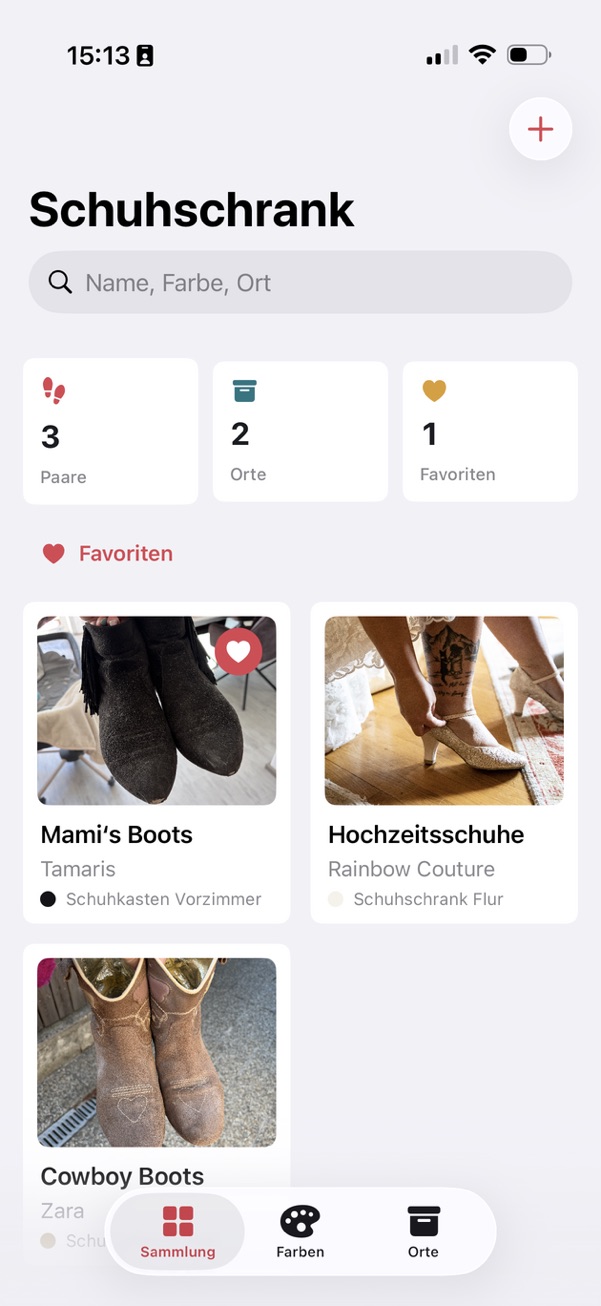
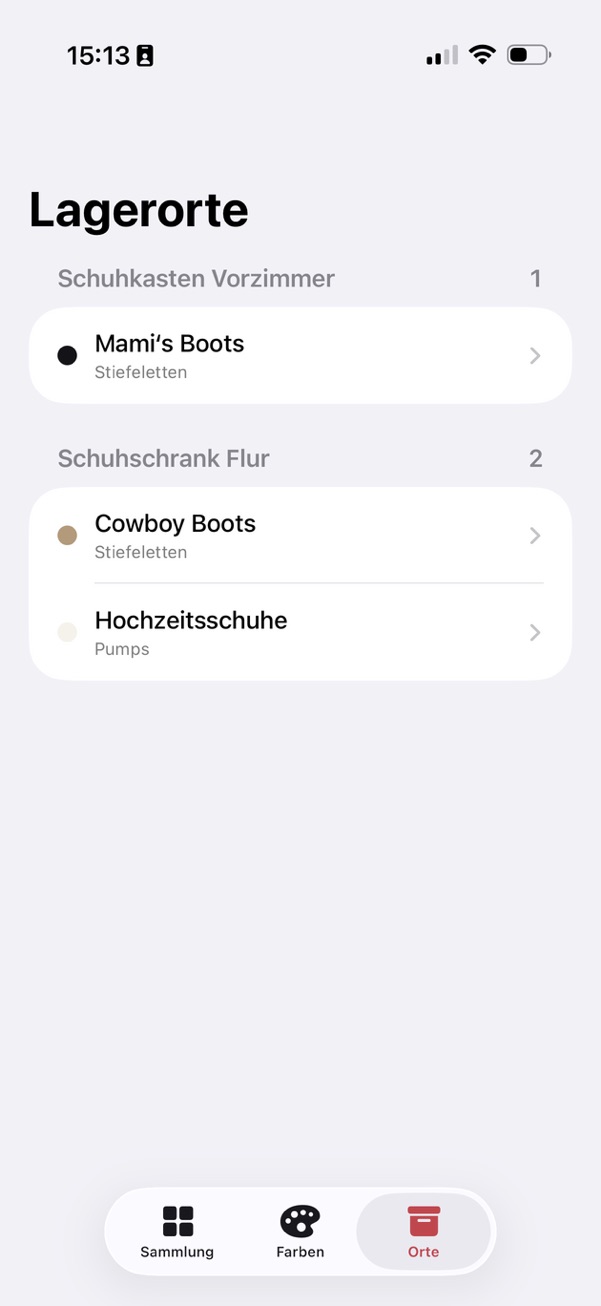
The foundation adds local storage, photos, shoe details, search, color filters, and an overview grouped by storage location.

Bootinizer · Support
Bootinizer—previously ShoeMemo and Schuhdemenz—is a straightforward iPhone app for your personal shoe collection. Capture pairs with the camera or photo library, use on-device color and location suggestions, and control iCloud sync and sharing from Settings.
What Bootinizer can do
Inside the app
Development
The key publicly documented stages, from Schuhdemenz and ShoeMemo to today’s Bootinizer.
The foundation adds local storage, photos, shoe details, search, color filters, and an overview grouped by storage location.
Colors and storage locations become fully editable, and version 1.1 is prepared for TestFlight.
Confidence-aware, on-device image analysis starts suggesting colors. Work on storage-location detection begins at the same time.
Reference images and previously saved shoes support local location suggestions. A new setup guide introduces the feature after updating.
Shoe and storage-location photos can now be captured directly in the app or selected from the photo library.
A local SwiftData cache synchronizes with the private CloudKit database. The full shoe library can be privately shared and jointly edited with invited people.
Surfaces and contrast are refined for dark mode. Only the owner manages invitations; invited people can edit the collection but cannot add further participants.
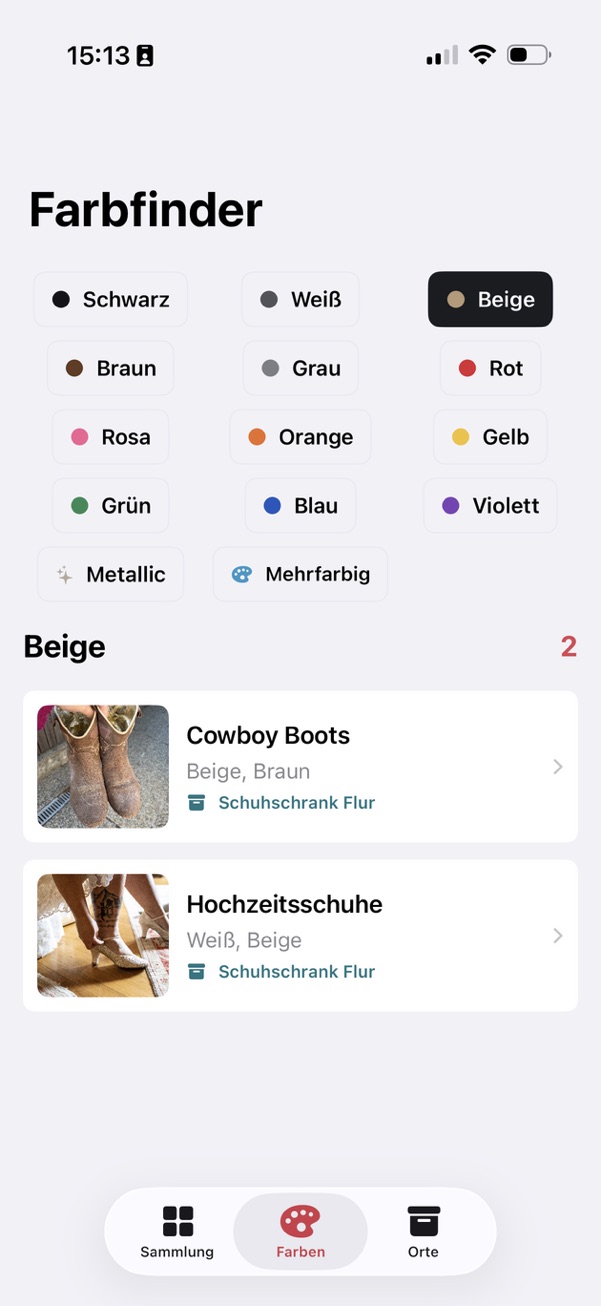
The app receives its new name. The color finder now lets you create custom colors with a freely chosen name and swatch, then assign them to shoe pairs.
Custom colors can be edited, deleted, or reset completely; affected pairs receive the nearest standard color when one is removed. Private sharing is limited to specified recipients and owner-managed invitations.
The sharing interface and participant permissions are stabilized across iOS versions. Shared collections remain limited to specified recipients, read-write access, and owner-managed invitations.
The new name arrives with central settings: switch iCloud on or off, review sync status, and trigger a sync manually. Owners can view invited people and their acceptance status and revoke access.
Frequently asked questions
The app keeps a local copy on your iPhone and, when iCloud sync is enabled, synchronizes the collection through your private CloudKit database. There is no separate Bootinizer account and no developer-operated server.
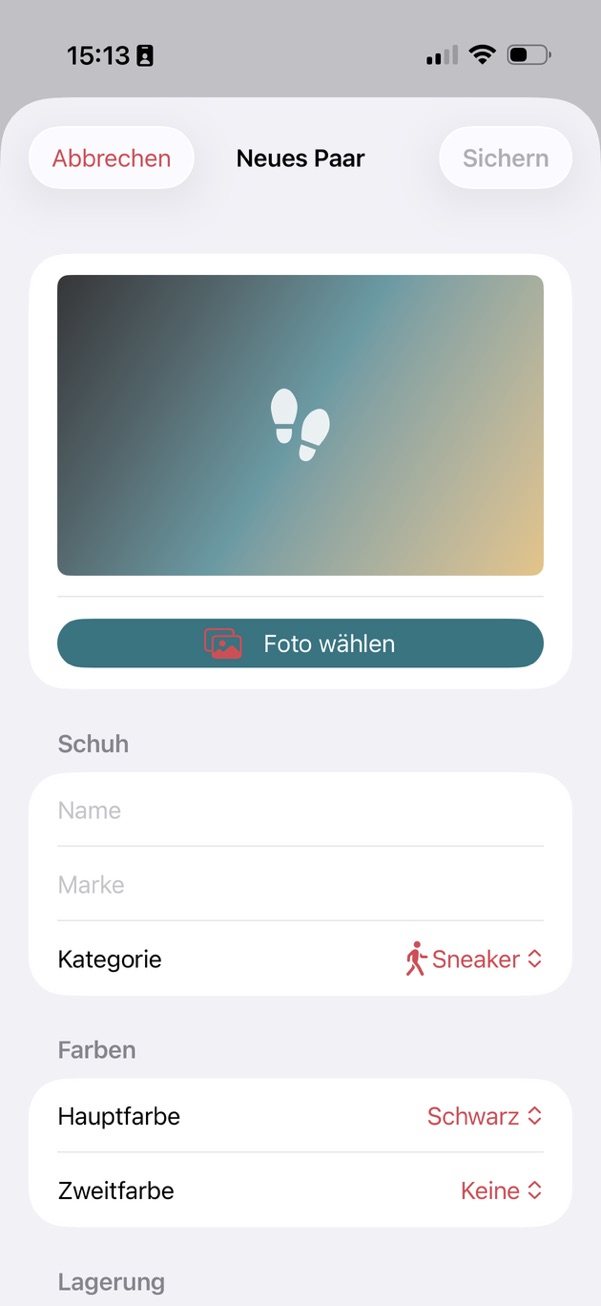
Tap the plus button in the top-right corner of the collection. You can capture a photo or choose one from the photo library, then add details such as name, brand, category, colors, and storage location.
Use the search field in the collection or switch to the color finder. Under “Locations,” you’ll find all pairs grouped by where they are stored.
The app analyzes your selected shoe photo directly on your iPhone. For storage locations, it can also compare local reference images and photos of shoes you have already assigned. You remain in control whenever a result is uncertain.
Use the plus button in the color finder to create a color with your own name and swatch. The pencil button lets you edit or delete colors later, or reset all custom colors. When a color is removed, assigned shoes receive the nearest standard color.
As the owner, you can use the share button to open Apple’s private CloudKit sharing interface and choose the invited people. “Manage access” shows participants and their acceptance status and lets you revoke access. Invited people can edit the collection but cannot invite anyone else.
Yes. You can switch iCloud sync off in Settings. Your local collection remains available, and Bootinizer no longer connects to CloudKit. After enabling it again, you can trigger synchronization.
You can delete individual pairs in the app, and the deletion synchronizes through iCloud. Removing the app only deletes its local copy. Content stored in iCloud may synchronize again after reinstalling the app.
Still have a question?
Briefly describe your issue and, if possible, include your iOS and app versions. Please do not send sensitive information or private photos.